
So you have got Apache Superset set up, or maybe your company just handed you a link, and now you are staring at a login screen wondering what to do next. Don’t worry — it is actually pretty simple once someone points you in the right direction.
The Basics: What Even Is Superset?
Apache Superset is basically a tool that turns boring database tables into charts and dashboards you can actually look at without falling asleep. It connects to things like MySQL, PostgreSQL, Snowflake, and BigQuery, then lets you drag, drop, and click your way into making sense of your data. No need to be a coding wizard.
Logging In for the First Time (Local Setup)
If you just installed Superset on your own computer using Docker, here is what you do:
Open your browser and go to:
plain
You will see a login page. For fresh installs, the default login is:
- Username: admin
- Password: admin
Yep, both are literally “admin.” Click login and you should be in.
Heads up: That default password is fine for playing around on your laptop, but if this is going live for real work, change it immediately. Leaving it as admin/admin is like leaving your front door wide open.
What If the Default Login Does Not Work?
Sometimes the setup skips creating that admin user, or maybe you changed the password and forgot it. It happens.
If you are using Docker, pop open your terminal and run this command:
bash
docker compose exec superset superset fab create-admin
It will ask you a few questions — username, first and last name, email, and password. Fill those in, hit enter, and boom — you have a fresh admin account. Go back to http://localhost:8088 and log in with what you just made.
Logging Into a Work or Cloud Instance
If your team is running Superset on a server or using something like Preset Cloud, your login page will have a custom URL. Something like:
plain
https://superset.yourcompany.com
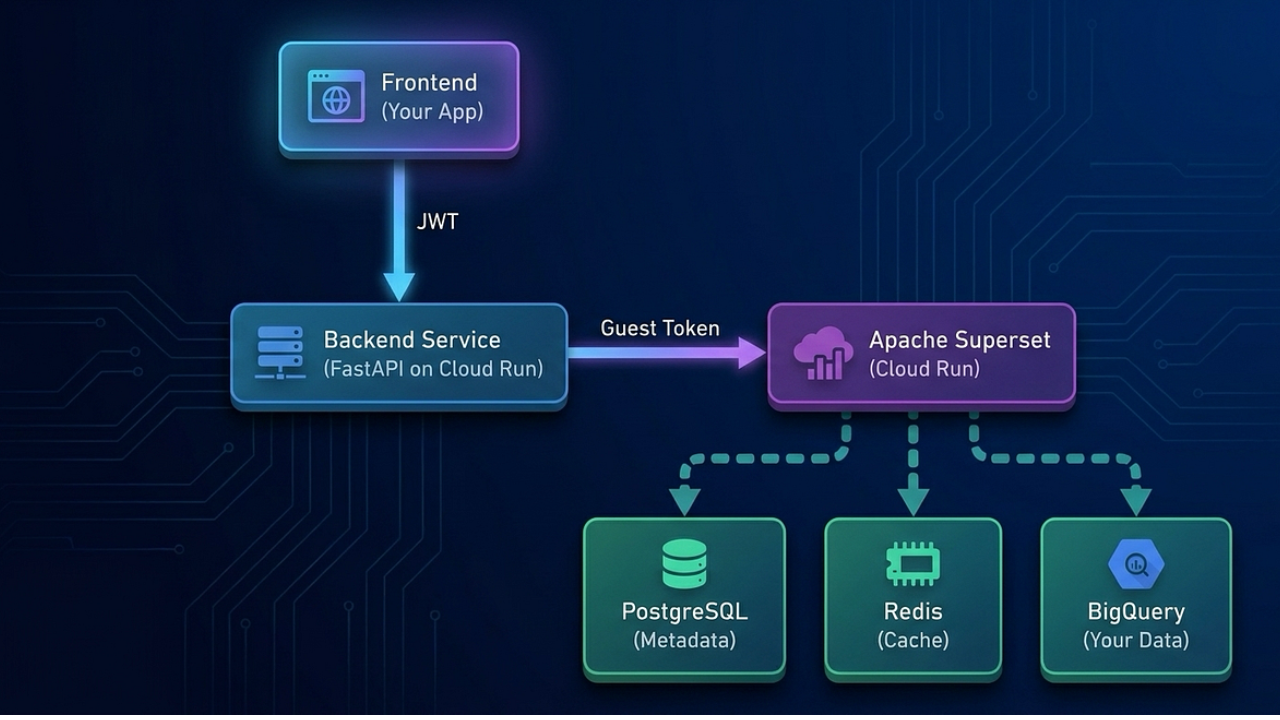
Most companies do not make you remember yet another password. Instead, they hook
Superset up to Single Sign-On (SSO), which means you just click a button that says something like:
- “Sign in with Google”
- “Sign in with Okta”
- “Sign in with Azure”
…and you log in with the same credentials you use for your work email. Much easier.
Some teams also use LDAP, which means you just type your regular company username and password right into the Superset login box. No extra accounts needed.
Common Login Headaches (And Quick Fixes)
“Invalid login” even with admin/admin
→ The admin account was never created during setup. Use that create-admin command I mentioned above.
You forgot your password
→ If you are not the admin, ask whoever runs your Superset instance to reset it for you. If you are the admin and locked yourself out… well, just create a new admin account through the terminal. It happens to the best of us.
The page keeps redirecting you in circles
→ This usually means a cookie or iframe issue. Try allowing third-party cookies in your browser, or ask your admin to check the SESSION_COOKIE_SAMESITE setting.
You logged in but cannot see any dashboards
→ That means you do not have permission. Superset uses roles to control who sees what. Ask your admin to bump you up to the right role (usually Gamma or Alpha, depending on what you need).
Quick Note on User Roles
Superset has a few built-in roles that control what you can touch:
- Admin — You run the show. Users, roles, data sources, everything.
- Alpha — You can build dashboards and connect data sources, but you cannot mess with user accounts.
- Gamma — You can look at dashboards and charts, but only for datasets you have been given access to.
- Public — For people without accounts. Very limited, mostly just viewing shared dashboards.
If you feel like you are missing access to something, just ping your admin. They can fix it in a few clicks.
A Few Security Tips (Worth Mentioning)
- Change that default admin password the second you go live.
- Use a real password, not “password123.”
- Make sure your Superset site uses HTTPS if it is on the internet.
- If your company offers SSO, use it. It is safer and you have one less password to forget.
Clean up old user accounts every now and then. If someone leaves the company, they should not still have dashboard access.
That Is Really All There Is to It
Logging into Superset is not rocket science. If it is your own install, use admin/admin at localhost:8088 and change it right after. If it is work-related, just use your company login through SSO or LDAP.
Once you are in, you can start poking around data, building charts, and making dashboards that do not look like they were made in 2003. Have fun with it.
Final Word
That is pretty much everything you need to know about getting into Apache Superset. Whether you are just testing it out on your laptop or logging into your company’s live dashboard, the process is straightforward once you know which door to walk through.
If you are setting it up yourself, just remember: admin/admin gets you in, but change that password before you show it to anyone else. If you are using it at work, your IT team has probably already done the hard part — just click the SSO button and go.
Superset is a solid tool once you are past the login screen. So get in there, start clicking around, and turn those messy spreadsheets into something people actually want to look at. Good luck!
